New bank synchronization & assign incoming payments manually
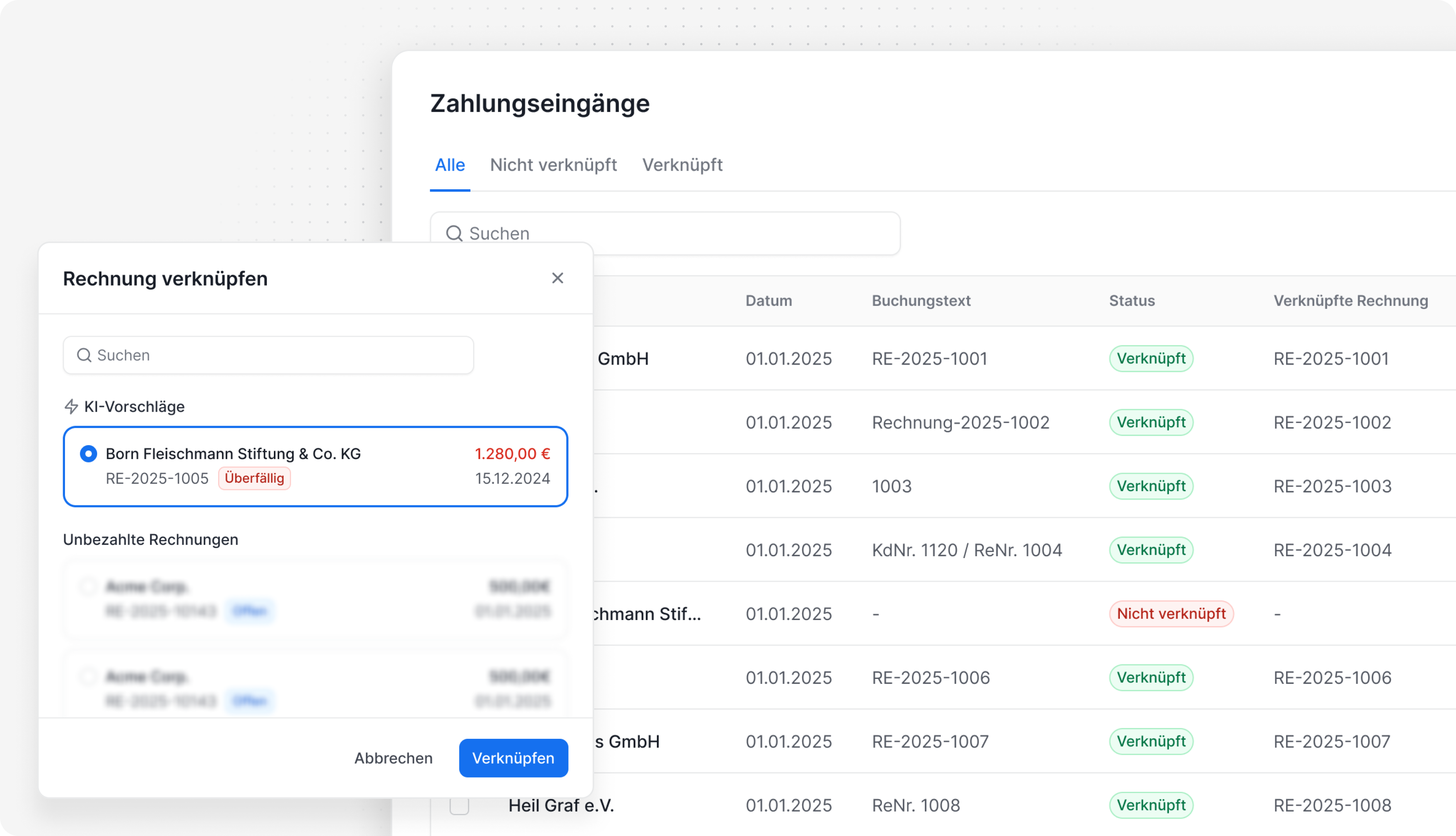
Bank Synchronization 2.0 🔃
The automatic bank synchronization has been completely redesigned! Incoming payments are now assigned to the correct invoices with even greater precision.
Invoice number with or without a prefix? Has the customer previously paid an invoice via bank transfer and currently has an outstanding one that matches the payment amount? All these cases are now intelligently considered – and incoming payments are automatically linked to the corresponding invoices.
Incoming Payments 📥
If a payment is not automatically assigned, there are now two new options:
New Tab: Under Invoicing > Incoming Payments, all payments can be viewed and manually assigned to open, overdue, or dunned invoices. Our AI-powered suggestions assist by proposing invoices that best match the payment – whether through a matching invoice amount or a previously known IBAN.
Smart Suggestions: Directly in the right sidebar of an invoice, suggestions are displayed to help quickly identify and assign the correct payment.
This ensures a clear overview of all incoming payments, making it immediately visible which invoices have been paid and which are still outstanding.
💡 Important: To use the new bank synchronization & incoming payments feature, the storage of incoming payments must be enabled. Without this, bank synchronization and payment assignment will not be possible.